




Consumer Protection Resources
Federal Trade Commission FTC Consumer Response Center: ftc.gov
Free Credit Report: AnnualCreditReport.com
Report Identity Theft: identitytheft.gov
Report Fraud: reportfraud.ftc.gov


Partnering for online security
Banks invest substantially in security
- Access controls ensuring customer information can be accessed only by authorized persons, including use of multi-factor authentication when warranted.
- Physical restrictions at computer facilities that permit access to authorized persons only.
- Data encryption of electronically transmitted and stored customer information.
- Modification procedures to ensure that changes are consistent with the approved security program.
- Dual control procedures, segregation of duties, and employee background checks.
- Monitoring procedures to detect actual and attempted intrusions into customer information.
- Response programs specifying actions to be taken by specific individuals when the institution suspects unauthorized access.
- Environmental hazard protections against physical damage or technology failures.
Banks partner with you, the customer
- Strong passwords - advise against using easily guessed passwords such as birthdays or home addresses.
- Anti-virus protections - Make sure the anti-virus software on your computer is current and scans your email as it is received.
- Email safety - Email is generally not encrypted so be wary of sending any sensitive information such as account numbers or other personal information in this way.
- Sign off and log out - Always log off by following the bank’s secured area exit procedures.
- Don’t get phished - Crooks are always trying to get your personal information, and they employ some ingenious methods. Don’t respond to any unusual email requests for personal information—when you opened your bank accounts you already gave it. When in doubt, call your bank.
- Monitor your accounts - When you check your accounts regularly, you can let your bank know immediately if you encounter anything that does not seem right.
Free credit reports your best tool
Online and mobile threats
- Phishing -This is the criminal attempt to steal your personal information through fraudulent emails or smart-phone texts. They are often very believable, luring the victim to a site that asks them to provide (or “verify”) personal financial details such as account numbers and social security numbers. A variation is called Spear Phishing, which are electronic messages that appear to come especially to victims from their employer, usually a large corporation. Cyber-security experts often term the mobile phone version of phishing Smishing, playing off the SMS, or Short Message Service terminology used in text messaging. Remember: your bank will not send emails asking for your personal information—they already have it.
- Card Skimming -This is a criminal’s attempt to gain a victim’s personal information by tampering with ATM machines. Fraudsters set up a device that can capture magnetic stripe and keypad information, such as PINs and account numbers. Using ATMs you know and trust—as well as examining the machine closely—can help thwart this type of theft.
- Spyware - This is the term used for criminal software that a victim unknowingly loads on a personal computer. Once there, the spyware collects personal information and sends it to the criminal. Up-to-date security software is the best defense.
Helpful Hint: Cyber-criminals often prey on those who are most vulnerable, such as senior citizens or young adults, who may not be as aware of the technical aspects of the threats. Make sure you alert any friends or family members who might be in this category. They’ll appreciate it!
Resources
- Internet Crime Complaint Center: www.ic3.gov
- Consumer Fraud (Department of Justice Homepage): www.usdoj.gov
- Federal Trade Commission (FTC) Consumer Response Center: www.ftc.gov
- Consumer Guides and Protection:www.usa.gov
- FTC Consumer Advice: consumer.ftc.gov
Important facts
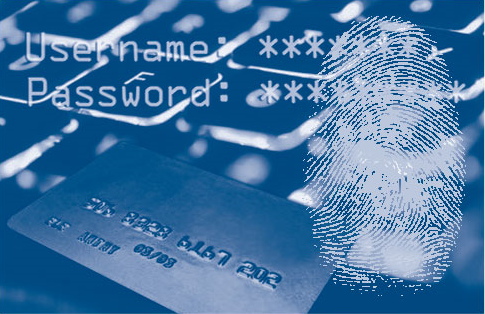
Understanding the factors
- Something the user knows (e.g., password, PIN)
- Something the user has (e.g., ATM card, smart card)
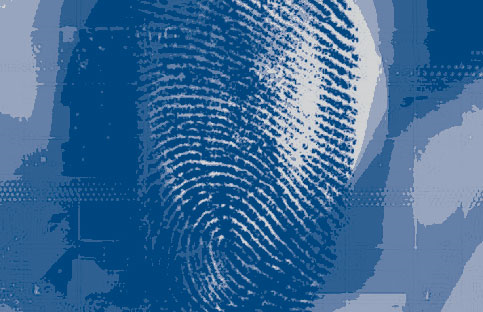
- Something the user is (e.g., biometric characteristic, such as a fingerprint).
Layered security for increased safety
Internal assessments at your bank
- changes in the internal and external threat environment
- changes in the customer base adopting electronic banking
- changes in the customer functionality offered through electronic banking; and
- actual incidents of security breaches, identity theft, or fraud experienced by the institution or industry
- Utilizing call-back (voice) verification, e-mail approval, or cell phone based identification.
- Employing customer verification procedures, especially when opening accounts online.
- Analyzing banking transactions to identify suspicious patterns. For example, that could mean flagging a transaction in which a customer who normally pays $10,000 a month to five different vendors suddenly pays $100,000 to a completely new vendor.
- Establishing dollar limits that require manual intervention to exceed a preset limit.
Your protections under “Reg E”
Customer vigilance: The first line of defense
- Anti-virus software
- Anti-malware programs
- Firewalls on your computer
- Operating system patches and updates
If you have suspicions
Fraud Alert!
Schemes, Scams & Frauds
The common sense precautions can keep you safe!
Phishing
Smart phone texting frauds
Spyware
Debit & credit card skimming
Fake check scams
FREE CREDIT REPORTS THE BEST DEFENSE OF ALL
To order your free credit report, go to the only authorized source: www.annualcreditreport.com | 1-877-322-8228
Resources
- Internet Crime Complaint Center: www.ic3.gov
- Consumer Fraud (Department of Justice Homepage): www.usdoj.gov
- Federal Trade Commission (FTC) Consumer Response Center: www.ftc.gov
- Consumer Guides and Protection:www.usa.gov
- FTC Consumer Advice: consumer.ftc.gov
The First National Bank of Hebbronville
305 N. Smith Avenue
P.O. Box 99
Hebbronville, TX 78361
(361) 527-3221
Fax (361) 527-5451
www.fnbhebb.com

Banking on-the-go using a mobile phone, personal digital assistant or tablet is safe and convenient, and an educated user can help keep it that way. Here’s what you should know.
Mobile banking is growing in popularity
What is mobile banking?
- Mobile app - Some banks may offer a special “app” (a software application designed for a specific purpose), allowing you to log into your accounts and conduct business.
- Mobile web browser - This allows you to login to your account through the internet using your phone’s browser and internet connection.
- SMS/text - You can set up text alerts or text your bank for information about your accounts.
Are there risks with mobile banking?
- As much as 36% of users don’t even lock their devices with a simple PIN or password.
- Few consumers have any form of anti-malware software on their mobile devices and, with little consideration for security, many are willing to download apps from virtually any source.
- Because they are mobile, cell phones and tablets are regularly used on public networks, which are inherently less secure.
How do I make mobile banking safer?
- Don’t get phished-Avoid clicking on links in text messages or emails, since these links may lead to malicious websites or downloads.
- Don’t save login information on your mobile device, especially to online banking or e-commerce sites.
- Have a passcode on your device and set it to auto-lock after a certain period of time.
- Before downloading any app, make sure it is from a known provider, then read the app’s privacy policy to make sure that it is not sharing your personal information.
- Carefully review your mobile phone bills for any suspicious charges or activity.
- Create secure passwords and keep your PIN safe. Change your password often, and do not use your pets’ names, your child’s name, or any birthdays.
- Consider installing a security app from one of the known and reliable security providers.
To learn more about your bank’s mobile banking opportunities talk to your banker.

Savings Account
A great way to start saving automatically when you link it to your checking account
• Money Management Account (Personal)
• Money Management Account (Commercial)
• Savings Account
• Junior Savings Account
• CDs
• IRAs
TOLL FREE: (800) 268-1312 | PHONE: (361) 527-3221
305 N. Smith • P.O. Box 99 | Hebbronville, Texas 78361